
Categories
- Connection Issues
- Hardware Issues
- Issues in Virtual Reality
- Issues with VR Boundaries
- Issues with VR Software
- Shipping Issues
Connection Issues
|
Solution |
QSSTR1
|
|
QSSTR2
|
|
QSSTR3
|
|
QSSTR4
|
|
|
QSST18
|
A middle red light on the streaming router indicates that the headset has no internet connection. It is recommended to always have internet shared with the headset. To resolve the issue:
Note: In some networks, the middle light can stay red even though there is a internet connection. Innerspace support can check this with you. |

Hardware Issues
|
Solution |
QSSTR5
|
|
QSSTR6
|
|
Issues in Virtual Reality
|
Solution |
QSSTR7
|
|
QSSTR8
|
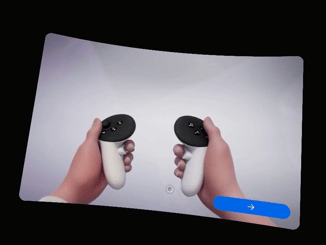
When you end the current Kiosk Mode on the headset (e.g. by pressing the red button while entering the pin code or while opening the settings menu), a new Kiosk Mode will be automatically configured. You can recognize this by seeing one of the displayed screens below in your headset. Please follow these steps to set up the new session:
|
QSSTR9
|
|
QSSTR10
|
|
QSSTR11
|
When the red button is pressed while entering the pin code or while opening the settings menu, a new session will be initiated. Please follow these steps to set up the new session:
|
Issues with VR Boundaries
|
Solution |
QSSTR12
|
|
QSSTR13
|
|
QSSTR14
|
|
Issues with VR Software
|
Solution |
QSSTR17
|
You can dismiss this message by pressing the "Dismiss" button. |
Shipping Issues
|
Solution |
QSSTR15
|
Contact Innerspace support via support@innerspace.eu |
QSSTR16
|